

When you're writing an article, filling out an online form, creating a social media post, or checking an assignment, you may see limits such as 500 words or 2,000 characters. These limits look similar, but they measure two completely different things.
Understanding word count vs character count helps you write within limits without accidentally cutting too much text. In this guide, you'll learn exactly how word count and character count work, what counts as a character, why spaces can change the result, and when you should use each measurement.
What Is the Difference Between Word Count vs Character Count?
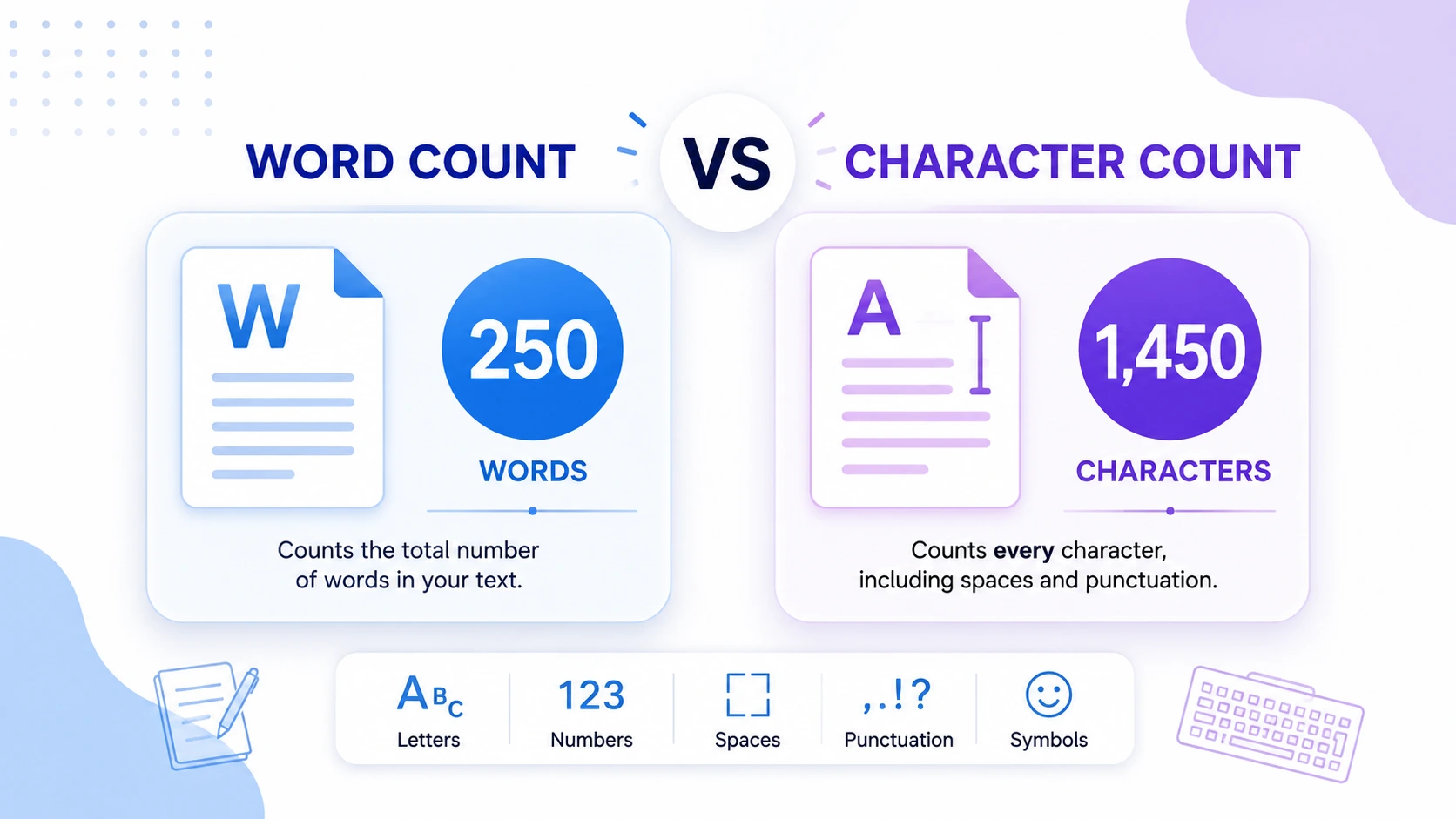
Word count measures the number of words in a piece of text, while character count measures individual characters such as letters, numbers, spaces, and punctuation. For example, a short sentence may contain 6 words but 30 or more characters. Word count is useful for document length, while character count is useful when strict text limits apply.
The simplest way to remember the difference is:
- Word count = How many words did you write?
- Character count = How many characters are in your text?
Both measurements are useful, but they answer different questions.
What Is Word Count?
Word count tells you how many words appear in your text.
For example:
Online tools make everyday tasks easier.
This sentence contains 6 words:
1. Online
2. tools
3. make
4. everyday
5. tasks
6. easier
The punctuation mark at the end does not create another word.
Word count is commonly used for:
- Blog posts
- Essays
- School assignments
- Research papers
- Articles
- Reports
- Books and ebooks
- Job applications
- Writing competitions
- Content briefs
Microsoft Word, for example, can display word count while you work and also provides character, paragraph, and line statistics. (Microsoft Support)
Why Word Count Matters
Word limits are usually designed to control the amount of written content, rather than the exact number of individual characters.
For example, if an assignment requires 1,000 words, writing 1,000 very short words is technically different from writing 1,000 long words. Word count gives the reader or editor a simple way to estimate the overall length of the content.
For online content, word count can also help you plan an article. However, a longer article is not automatically better. Useful information and clear answers matter more than hitting an arbitrary word number.
What Is Character Count?
Character count measures the individual characters contained in your text.
A character can include:
- Letters
- Numbers
- Spaces
- Punctuation
- Symbols
Consider this example:
Hello world!
It contains:
- 2 words
- 12 characters including the space
- 11 characters excluding the space
The exact result can depend on how the counting tool defines characters and handles special Unicode characters.
Character count is particularly useful when a platform or form has a strict input limit.
Common examples include:
- Social media posts
- SMS messages
- Meta descriptions
- Username fields
- Product titles
- Online application forms
- Database fields
- API input limits
- Text messages
- Short advertisements
Word Count vs Character Count: Quick Comparison
| Measurement | What It Counts | Common Use |
|---|---|---|
| Word count | Words | Articles, essays, reports |
| Character count | Individual characters | Forms, social posts, titles |
| Characters with spaces | Characters plus spaces | Strict text limits |
| Characters without spaces | Characters excluding spaces | Writing analysis |
| Sentence count | Sentences | Readability analysis |
| Paragraph count | Paragraphs | Document structure |
The key point is simple: word count measures units of language, while character count measures units of text.
Characters With Spaces vs Without Spaces
One of the most confusing parts of character counting is the difference between characters with spaces and characters without spaces.
Consider:
I love online tools.
The spaces between the words occupy characters in the text.
If a counter includes spaces, every space contributes to the total. If it excludes spaces, those spaces are removed from the calculation.
For example:
| Text | Result |
|---|---|
I love tools |
12 characters with spaces |
I love tools |
10 characters without spaces |
| Words | 3 |
This difference matters when you're working with a strict character limit.
Tip: If a platform says your text must be under a certain number of characters, check whether its limit includes spaces. Do not assume that every platform counts characters the same way.
Why the Same Text Can Have Very Different Counts
A sentence can have relatively few words but many characters.
For example:
Technology can dramatically simplify repetitive business tasks.
There may be only a handful of words, but several of those words are long.
Now compare it with:
Tech can make work easier.
The second sentence contains fewer characters even though both sentences communicate a similar idea.
This is why word count and character count cannot be used interchangeably.
Two pieces of text can have:
- Similar word counts but very different character counts
- Similar character counts but different word counts
The length of individual words, spaces, punctuation, and symbols all affect the final character total.
When Should You Use Word Count?
Use word count when the overall amount of written content matters.
Use word count for:
1. Blog posts
If you're planning a 1,500-word article, word count gives you a practical target for the overall length.
2. Academic writing
Teachers and universities often specify assignment lengths using words.
3. Reports
Business and technical reports may have recommended or maximum word counts.
4. Books and ebooks
Authors and publishers commonly discuss manuscript length in words.
5. Content planning
Writers can divide a target word count across sections to create a balanced article.
For example:
| Section | Target |
|---|---|
| Introduction | 100 words |
| Main section 1 | 300 words |
| Main section 2 | 400 words |
| Main section 3 | 300 words |
| Conclusion | 150 words |
| FAQ | 250 words |
This approach makes large writing projects easier to manage.
When Should You Use Character Count?
Character count is more useful when you have a strict space limitation.
Use character count for:
Social media: Some platforms restrict the amount of text you can publish.
Meta descriptions: SEO professionals often pay attention to how much text can reasonably appear in search results, although search engines can truncate or rewrite snippets.
Forms: Registration forms, application fields, and profile descriptions may impose character limits.
Product titles: Ecommerce platforms may restrict title lengths.
SMS and messaging: Short messages have practical character constraints.
Software development: Developers sometimes need to validate text fields against a maximum length.
HTML's maxlength attribute, for example, defines the maximum amount of text a user can enter into an input or textarea. MDN notes that this length is measured in UTF-16 code units, which is often but not always identical to the number of characters a person perceives. (MDN Web Docs)
A Practical Example
Imagine you're filling out an online application that allows a maximum of 500 characters.
You write:
I am an IT professional with experience in cloud infrastructure, automation, and DevOps. I enjoy building reliable systems and learning new technologies.
You might think the text is short because it contains relatively few words.
But the form doesn't care about the number of words. It cares about the character limit.
In this situation, using a character counter is more useful than using a word counter.
A simple workflow
1. Write your complete answer.
2. Paste it into a character counter.
3. Check whether spaces are included.
4. Remove unnecessary words if you're over the limit.
5. Check the final character count again.
6. Paste the final version into the form.
For everyday writing, a Word Counter and Character Counter can save time by showing both measurements at once.
How to Count Words and Characters Quickly
You don't need to manually count either measurement.
A text counting tool can analyze your content instantly.
Step 1: Prepare your text
Copy the paragraph, article, caption, or message you want to check.
Step 2: Paste it into a text counter
Use a reliable online tool that can calculate word and character counts.
Step 3: Check both numbers
Look at:
- Word count
- Character count
- Characters with spaces
- Characters without spaces
Step 4: Compare the result with your requirement
If you're writing an essay, focus on the word limit.
If you're completing a form with a 500-character restriction, focus on the character limit.
Step 5: Edit and check again
Make your changes, then recalculate. This is much faster and more reliable than manually estimating the length.
You can also explore other Text Tools on TechbyJeel Tools when you need to clean, analyze, or transform written content.
Why Character Counting Can Get Complicated
For basic English text, character counting is straightforward. However, modern text can contain emojis, accented characters, mathematical symbols, and characters from many writing systems.
This matters especially for developers building text-processing applications.
For example, JavaScript strings use UTF-16, and JavaScript's String.length property measures UTF-16 code units rather than necessarily measuring what users perceive as individual characters. (MDN Web Docs)
An emoji can therefore produce a surprising result in some programming environments.
For example, a single emoji such as 😄 can have a JavaScript string length of 2 because it is represented using two UTF-16 code units. (MDN Web Docs)
For normal writing, you usually don't need to worry about this technical distinction. But if you're developing a text-processing tool, form validator, or application with character limits, Unicode handling matters.
Word Count vs Character Count for SEO
Both measurements can be useful for SEO, but they serve different purposes.
Word count can help you plan comprehensive content around a topic. It can also help ensure that an article has enough room to answer a searcher's question properly.
Character count is more useful for short SEO elements, such as titles, descriptions, and other fields where available display space matters.
However, don't treat a specific character count as a guaranteed Google ranking formula. Search engines can change how titles and snippets are displayed based on the query, device, and available space.
The better approach is to make your content clear, relevant, useful, and concise rather than writing purely to hit a numerical limit.
For broader SEO guidance, Google's official Search Central documentation is a useful reference. (Microsoft Support)
Word Count vs Character Count for Different Tasks
Here's a quick decision guide:
| Task | Better Measurement |
|---|---|
| Writing a 1,500-word blog | Word count |
| Completing a 500-character form | Character count |
| Writing a university essay | Word count |
| Creating a short product title | Character count |
| Planning an ebook | Word count |
| Checking a social media limit | Character count |
| Measuring article length | Word count |
| Validating a text input field | Character count |
| Checking writing volume | Word count |
| Checking a strict text limit | Character count |
The Simple Rule
If the requirement says "words," use a word counter. If it says "characters," use a character counter.
That one rule eliminates most confusion.
Common Mistakes to Avoid
Mistake 1: Treating words and characters as the same
They aren't interchangeable measurements.
Mistake 2: Ignoring spaces
A character limit may include spaces. Always verify how the platform counts them.
Mistake 3: Assuming every tool counts characters identically
Different software can handle whitespace, Unicode, emojis, and special characters differently.
Mistake 4: Cutting content unnecessarily
If you have a 1,500-word article target, don't obsess over making the character count match another article.
Mistake 5: Writing filler to reach a word count
More words don't automatically make content better. Focus on answering the reader's question completely.
Quick Summary
Word count tells you how much content you wrote. Character count tells you how much text you used.
Remember these four points:
- Words are groups of text separated by spaces or other word boundaries.
- Characters are individual units of text such as letters, numbers, spaces, and punctuation.
- Word count is best for articles, essays, reports, and other long-form content.
- Character count is best for strict text limits such as forms, titles, and short messages.
If you're unsure which one to use, look at the requirement. "500 words" means word count. "500 characters" means character count.
Conclusion
Understanding word count vs character count makes writing for different platforms much easier. Word count helps you measure the overall size of your content, while character count helps you stay within strict text limits.
For everyday writing, checking both numbers can help you edit more efficiently and avoid unpleasant surprises when submitting content or filling out forms.
Ready to analyze your text? Try the free Text Tools on TechbyJeel Tools, and use the right counter for your next article, assignment, caption, or form.
Related TechbyJeel Tools
Frequently Asked Questions
Is word count the same as character count?
No. Word count measures the number of words in a text, while character count measures individual characters. A sentence can contain only a few words but hundreds of characters if the words are long. Character counts may also include or exclude spaces depending on the tool or platform.
Does character count include spaces?
It depends on the counting method. Many tools provide separate totals for characters with spaces and characters without spaces. If you're working with a strict character limit, check which method the platform uses before editing your text.
Which is more important for SEO, word count or character count?
Both can be useful for different purposes. Word count helps you plan and develop useful content, while character count is useful for short SEO elements such as titles and descriptions. Neither should be treated as a guaranteed ranking factor by itself. Focus on useful, relevant, well-structured content.
Why does my character count differ between tools?
Different tools may handle spaces, line breaks, punctuation, Unicode characters, and emojis differently. In programming environments, the technical definition of a character can also differ from what users perceive as one character. For strict limits, use the same counting method as the platform you're submitting to.
How can I count words and characters quickly?
Paste your text into an online word and character counter. A good text counter can calculate both measurements instantly and may also show characters with and without spaces. This is faster and more reliable than manually estimating the length of your text.