

Every time you open a website, send a message, watch a video, or connect to an online service, your device communicates across a network. One of the key pieces of information involved is an IP address.
But what is an IP address, exactly? Is it the same as your Wi-Fi address? Can someone find your exact home from it? And what is the difference between IPv4 and IPv6?
This guide explains IP addresses from the ground up, including how they work, the main types, public vs private IPs, IPv4 vs IPv6, and how an IP lookup can help you understand an address.
What Is an IP Address?
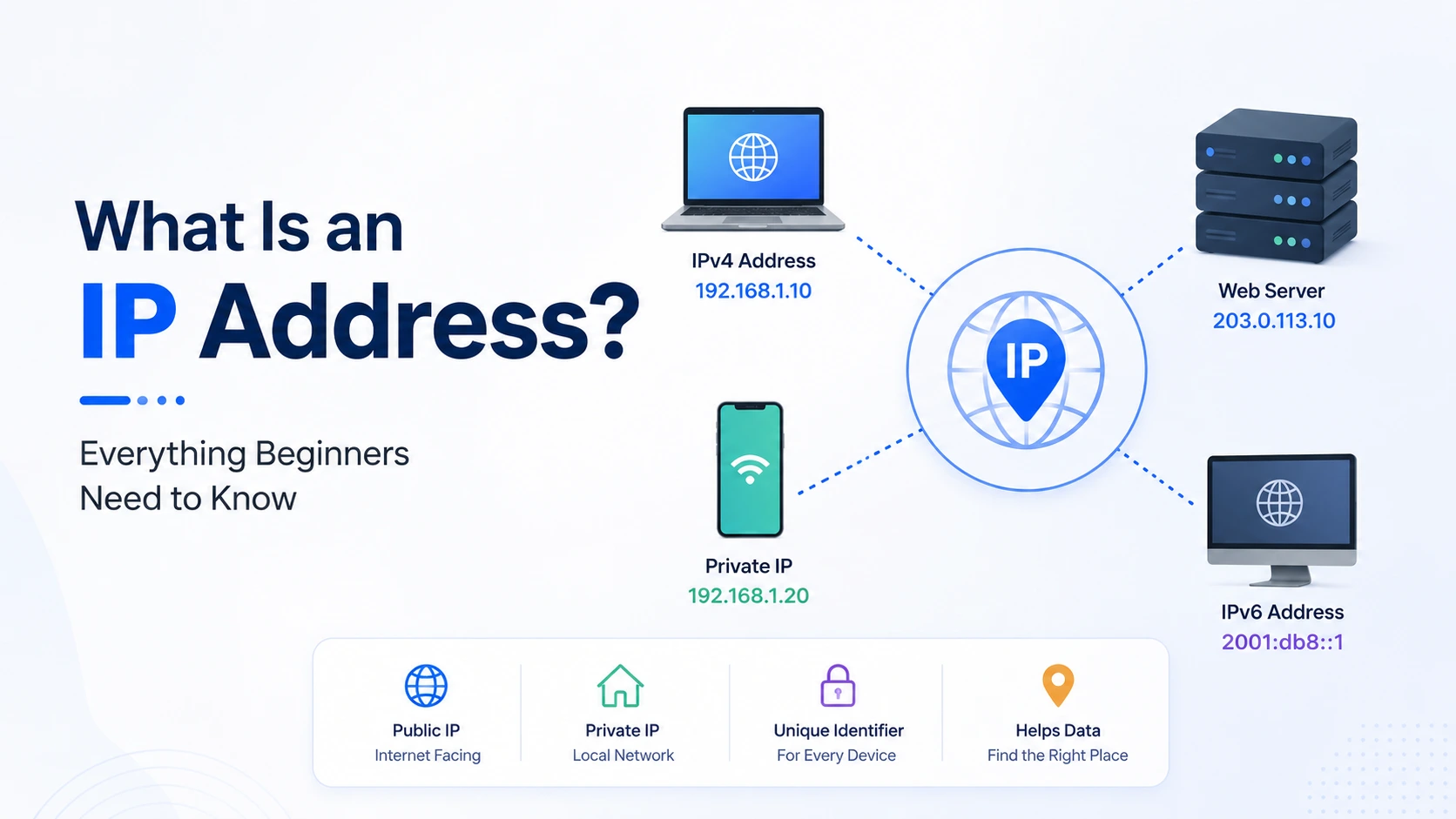
An IP address is a numerical identifier assigned to a device or network interface so it can communicate using the Internet Protocol. It helps networks identify where data should be sent and where responses should return. The two IP versions currently in active use are IPv4 and IPv6.
Think of an IP address like a delivery address.
If you order something online, the delivery service needs an address to know where to send the package. Similarly, when your device requests a webpage, the network needs addressing information so data can travel between the source and destination.
For example, an IPv4 address might look like:
192.0.2.25
An IPv6 address might look like:
2001:db8:85a3::8a2e:370:7334
Your device can have different IP addresses depending on the network it is connected to.
How Does an IP Address Work?
When you visit a website, several networking processes happen in a fraction of a second.
A simplified version looks like this:
1. You enter a website address in your browser.
2. DNS helps find the IP address associated with the domain.
3. Your device sends a request through your network.
4. Routers forward the traffic toward the destination.
5. The web server receives the request.
6. The server sends data back to your device.
7. Your browser displays the website.
For example, when you type a domain such as example.com, you normally do not need to know its IP address manually. DNS translates human-readable domain names into IP addresses that networks can use.
This is why DNS and IP addresses are closely connected.
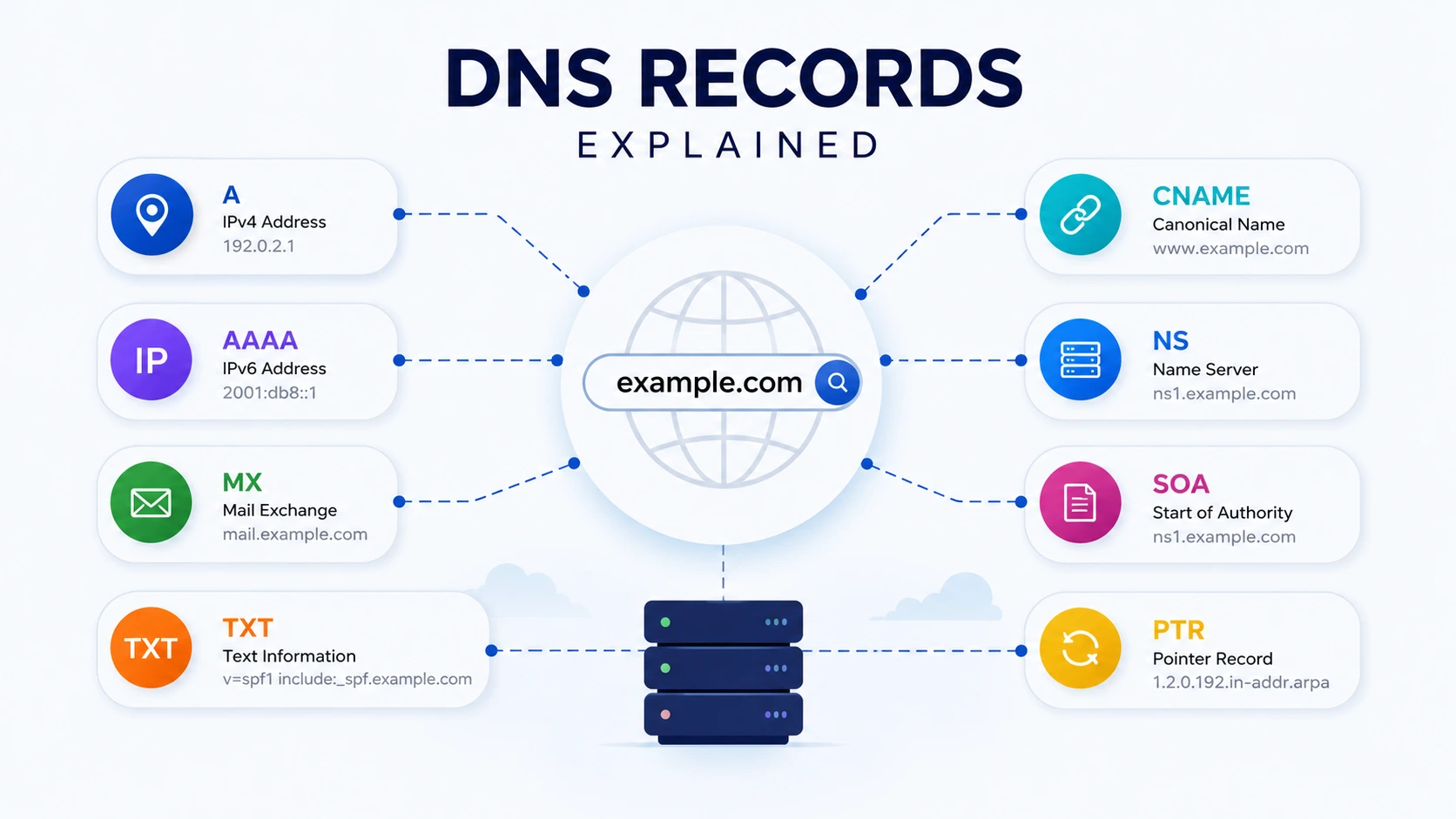
Related tool: DNS Lookup can help you inspect public DNS records associated with a domain.
IPv4 vs IPv6: What's the Difference?
IPv4 and IPv6 are two versions of the Internet Protocol.
IPv4 uses 32-bit addresses, while IPv6 uses 128-bit addresses. IPv6 was developed largely because the number of available IPv4 addresses is limited compared with the enormous number of devices that need Internet connectivity.
| Feature | IPv4 | IPv6 |
|---|---|---|
| Address size | 32-bit | 128-bit |
| Example | 192.0.2.1 | 2001:db8::1 |
| Format | Dotted decimal | Hexadecimal separated by colons |
| Address capacity | About 4.3 billion | Extremely large address space |
| Current usage | Still widely used | Increasingly deployed |
| Main reason for development | Original Internet addressing | Expanded address capacity |
IPv4
IPv4 addresses contain four numerical sections separated by periods.
Example:
192.168.1.20
Each section can contain a value from 0 to 255.
IPv4 remains heavily used today. IANA identifies IPv4 and IPv6 as the two active versions of Internet Protocol addressing.
IPv6
IPv6 uses hexadecimal numbers and letters separated by colons.
Example:
2001:db8:85a3::8a2e:370:7334
IPv6 provides a vastly larger address space and was designed as the successor to IPv4. The IPv6 specification is defined by the IETF in RFC 8200.
You may see both IPv4 and IPv6 in modern networks because the transition between the two protocols has taken place gradually.
Public IP Address vs Private IP Address
One of the most important concepts for beginners is understanding the difference between a public IP address and a private IP address.
Public IP Address
A public IP address is used for communication across public networks such as the Internet.
Your Internet service provider may assign your home or office network a public IP address. Websites and online services can generally see the public-facing IP associated with your connection.
Private IP Address
A private IP address is used inside a local network.
For example, your router might assign devices addresses such as:
- 192.168.1.10
- 192.168.1.20
- 10.0.0.15
Your laptop, smartphone, smart TV, and printer can each have different private IP addresses while sharing the same public Internet connection.
A simple example:
Internet | Public IP | Wi-Fi Router |
+-- 192.168.1.10 Laptop
+-- 192.168.1.11 Phone
+-- 192.168.1.12 Smart TV
This arrangement allows multiple devices to communicate through a single Internet connection.
Static IP vs Dynamic IP
IP addresses can also be classified based on how they are assigned.
| Type | Meaning | Common Use |
|---|---|---|
| Static IP | Address intended to remain fixed | Servers, business networks |
| Dynamic IP | Address assigned automatically and may change | Home Internet, ordinary devices |
Static IP Address
A static IP is configured to remain consistent.
This can be useful for services that need a predictable network address, such as:
- Web servers
- Remote access systems
- Business infrastructure
- VPN endpoints
- Certain hosted applications
Dynamic IP Address
A dynamic IP can change over time.
For ordinary home users, this is common because an Internet service provider can assign addresses dynamically from available address pools.
If your public IP changes, most normal Internet activities continue working without you needing to do anything.
What Information Can an IP Address Reveal?
An IP address can provide useful network information, but it is important not to misunderstand what that information means.
An IP lookup may show information such as:
- Approximate country
- Region or state
- Approximate city
- Internet service provider
- Autonomous System Number (ASN)
- Network or organization
- Reverse DNS information
- Approximate geographic coordinates
However, IP geolocation is not a guaranteed method of finding someone's exact physical address.
The accuracy can vary depending on the IP allocation, ISP, mobile network, VPN, proxy, corporate network, and geolocation database.
For example, a mobile user's IP may represent a broader carrier network rather than their exact physical location.
This distinction matters when interpreting IP lookup results.
What Is an IP Lookup?
An IP lookup is a process of checking an IP address to retrieve publicly available information associated with that address.
You can use an IP lookup when troubleshooting a network, investigating a server, checking an unfamiliar address, or learning more about your own public IP.
What Can You Check With an IP Lookup?
Depending on the service, an IP lookup can provide:
- IP version - IPv4 or IPv6
- Country - Approximate country associated with the address
- Region - Approximate geographic region
- City - Approximate city
- ISP - Internet service provider
- ASN - Autonomous System Number
- Organization - Network or organization associated with the allocation
- Coordinates - Approximate latitude and longitude
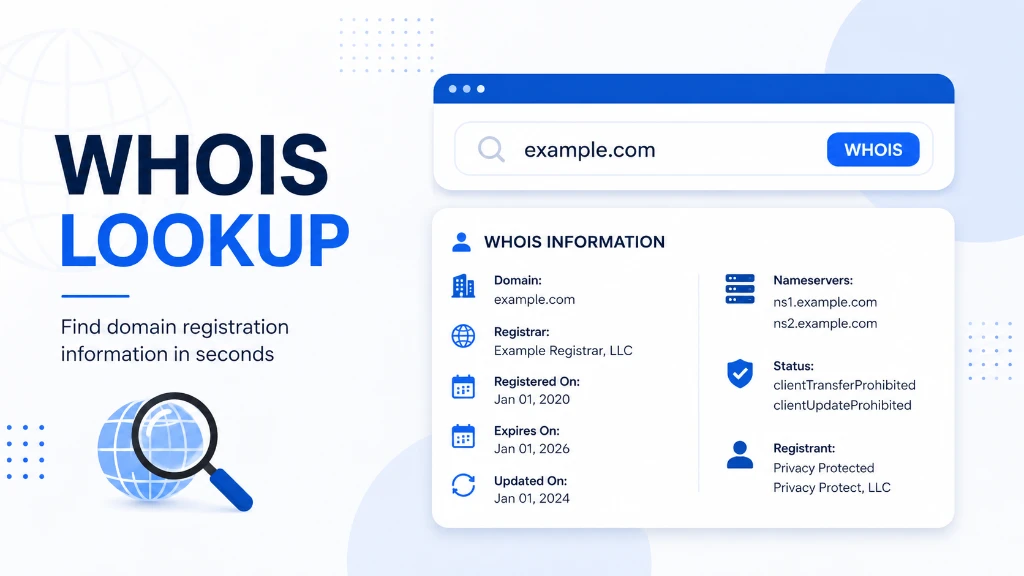
Try the IP Lookup tool on TechbyJeel Tools to inspect an IP address and see available network and geolocation information.
Tip: Treat IP geolocation as an approximation, not as proof of someone's exact physical location.
How to Find Your IP Address
Finding your public IP address is simple.
Method 1: Use an IP Lookup Tool
The easiest approach is to open an IP lookup tool. A browser-based tool can detect your public IP and display relevant information.
With TechbyJeel Tools' IP Lookup, you can check your detected public IP and inspect available details such as ISP, ASN, country, region, and approximate location.
Method 2: Check Your Device
Your local device settings can show a private IP address.
For example, on a typical home network, you may see something like:
192.168.1.25
Remember that this is different from your public Internet-facing IP address.
Method 3: Check Network Configuration
Advanced users can also use operating system networking commands.
For example, Linux users commonly use:
ip addr
Windows users can use:
ipconfig
These commands can reveal local network interfaces and their assigned addresses.
Are IP Addresses Private Information?
An IP address should be treated as network information that can have privacy implications, but an IP address by itself does not automatically reveal someone's exact home address or identity.
For example, websites can log the IP addresses associated with incoming connections. Organizations can use this information for security, rate limiting, analytics, abuse prevention, and network administration.
The practical privacy risk depends on what other information can be connected to the IP address.
Using an IP address alone to make strong claims about a person's identity or physical location is unreliable.
Common IP Address Examples
Here are some examples that make the concepts easier to understand:
| Example | What it represents |
|---|---|
| 192.168.1.10 | Typical private IPv4 address |
| 10.0.0.25 | Typical private IPv4 address |
| 172.16.0.5 | Typical private-network IPv4 address |
| 192.0.2.1 | Documentation/example IPv4 address |
| 2001:db8::1 | Documentation/example IPv6 address |
The last two are especially useful in technical documentation because they are reserved for examples rather than representing an ordinary public destination.
IANA maintains registries for IPv4 and IPv6 address space and coordinates the global IP addressing system.
Why Do IP Addresses Matter?
Understanding IP addresses is useful even if you are not a network engineer.
They appear in everyday tasks such as:
- Troubleshooting Internet connections
- Setting up websites
- Configuring DNS
- Managing servers
- Using VPNs
- Configuring firewalls
- Investigating suspicious traffic
- Hosting applications
- Checking server connectivity
- Understanding network security
For website owners, IP addresses are particularly important because DNS records such as A and AAAA connect domain names to IPv4 and IPv6 addresses.
Related tool: If you manage a website, combine IP Lookup with DNS Lookup to understand how a domain's DNS and network addressing fit together.
Quick Summary: IP Addresses Explained
An IP address identifies a network interface for Internet Protocol communication. IPv4 uses 32-bit addresses, while IPv6 uses 128-bit addresses. Public IPs identify Internet-facing connections, private IPs are used inside local networks, and static or dynamic describes how an address is assigned.
The key concepts to remember are:
- IP means Internet Protocol.
- IPv4 uses 32-bit addresses.
- IPv6 uses 128-bit addresses.
- Public IPs are used for public network communication.
- Private IPs are used within local networks.
- Static IPs are intended to remain fixed.
- Dynamic IPs can change.
- IP lookup can provide information about an IP address.
- IP geolocation is generally approximate, not an exact physical locator.
- DNS connects human-readable domain names with IP addresses.
A Simple Real-World Example
Imagine you connect your laptop to home Wi-Fi.
Your router may give your laptop a private address such as:
192.168.1.20
Your router itself communicates with the Internet through a public IP assigned by your ISP.
When you open a website, your request travels through the network using IP addressing. DNS helps your device find the destination server, routers forward packets toward that destination, and the response travels back to your connection.
You usually never see this process happening, but IP addressing is working underneath almost every Internet connection.
Final Thoughts
Understanding what is an IP address is one of the best starting points for learning how the Internet works. Once you understand public and private IPs, IPv4 and IPv6, and static and dynamic addressing, many networking concepts become easier to understand.
IP addresses are also useful when troubleshooting websites, servers, DNS, VPNs, and network connections. Just remember that an IP lookup provides network and approximate geolocation information, not guaranteed proof of someone's exact identity or location.
Ready to explore an IP address? Try the free IP Lookup tool on TechbyJeel Tools and inspect available IP, ISP, ASN, and geolocation information. You can also browse more Network Tools for DNS, ping, port, and other network diagnostics.
Frequently Asked Questions
What is an IP address in simple terms?
An IP address is a numerical address used to identify a device or network interface for Internet Protocol communication. It helps data know where to go and allows responses to return to the appropriate destination. Common IP versions include IPv4 and IPv6.
What is the difference between IPv4 and IPv6?
IPv4 uses 32-bit addresses written in dotted decimal format, such as 192.168.1.1. IPv6 uses 128-bit addresses written with hexadecimal characters and colons, such as 2001:db8::1. IPv6 provides a vastly larger address space than IPv4.
Can an IP address reveal my exact location?
Usually, no. IP geolocation can estimate a country, region, city, ISP, or approximate coordinates, but it does not reliably reveal someone's exact home address. Accuracy varies based on the ISP, network type, VPN, proxy, mobile carrier, and the geolocation database being used.
What is a public IP address?
A public IP address is an Internet-facing address associated with a network or device that communicates over public networks. Home routers commonly use a public IP on their Internet connection while assigning separate private IP addresses to devices inside the local network.
How can I look up an IP address?
You can use an IP lookup service to enter or automatically detect an IP address and retrieve available information such as its IP version, ISP, ASN, country, region, city, and approximate location. TechbyJeel Tools provides a free browser-based IP Lookup tool.